Thursday, May 19, 2011

And One More Thing, Resolutions

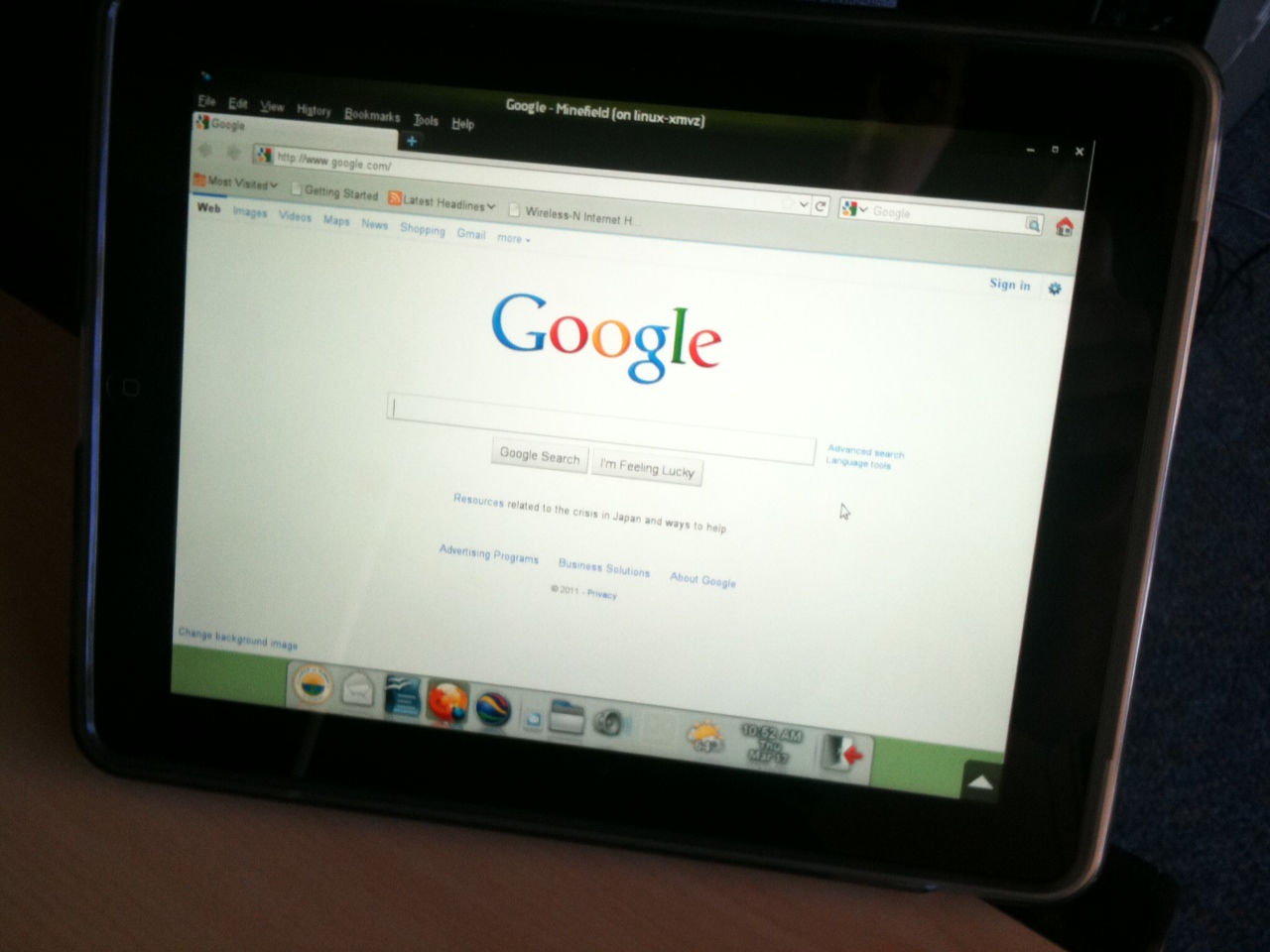
Just wanted to pass along a little trick that I use when writing software. About half of our 600 monitors are still 1024x768. We don't replace monitors until they are dead as good custodians of taxpayer dollars, and LCD panels are lasting many years. Usually IT developers have wide screens and some of them have dual monitors. It's easy to forget about the rest of our users, and suddenly software is developed that doesn't fit on their screens. Nothing worse than having to re-engineer a beautiful UI after finding this out during beta testing.

So what I always do is use my handy wallpaper that has a black box drawn at 1024x768 for testing screens.

We Have Print Data

After some short meetings with our Director and other staff, there seemed to be some excitement about analyzing our printing data. They gave me a list of some additional functionality and I had fun learning how to use some new widgets with Python/Glade and how to retrieve data from sqlite. I don't get the chance to write software very much anymore, and I still find it enjoyable after all of these years.

Here is the shot of the UI, simple and easy to use. The users select the data range, the departments and then the various functions they wish to query. The information is returned in three tabs on the right side which appear as "Department", "Printers" and "Users". One of the requested features was the ability to get the data as it appears in the Tree into OpenOffice Calc. The sqlite query is looping to fill the tree, and it was very simple to just dump the data concurrently out to a perl library which allows you to generate an identical .ods file. When the Tree displays, the file is finished and ready for use. I added an area labeled 'Files' which contains the spreadsheets. When clicked, the buttons use the normal MIME popups that we use on the rest of the desktop. The perl library does not generate the thumbnail file that normally appears in an .ods file, so the preview window comes up blank.


In the shot below, I selected OpenOffice - Calc opens the .ods file and will allow them to tinker with the numbers or copy and paste into other applications as needed. It took a bit of Googling to find the right technique to get the numbers over as integers and not as strings. But it's all working.


The primary UI gives them SQL SUMs of the various data, and I knew that people would be shocked at the number. So if you double-click on any of the Tree rows, it opens a child window which performs the same SQL statement except showing the detail records. It's very interesting to be able to see all print jobs by department, printer and user in chronological order. You can really get a better understand of how people are using/abusing the software.


I have a bit of work to do yet to merge in the log files coming over from the MS Windows spoolers which are in a different format. At that point management can review the data and consider ways to reduce costs with the use of other technologies such as portrait monitors, policies, training and tablets.

Wednesday, May 11, 2011

Paper & Printer Usage Under Review

As part of the GNOME desktop upgrade, a project has been initiated that is near and dear to my heart -- printing. There is a strong culture in many people to fight computerization and continue to work with 10 or 20 year old techniques. The amount of paper and ink used is tremendous and our printing costs are finally coming to light.

CUPs dumps flat files into /var/log/cups/page_log which contains lots of useful information, but is in no way in a format that can be researched. This is especially true when you have multiple servers and operating systems. We have always known that printers are heavily used, because they are a big draw on IT support. However, we have never been able to prove an exact dollar amount nor provide any specifics about poor techniques being used around the City. So I wrote some quick ksh scripts that scan through the page_log each night at midnight and dump the information into a sqlite database. This is yielding very interesting information.

I have done some SQL statements by hand to begin to look at the data, but obviously this isn't going to be the way that the IT Director or analysts will work. So I am writing a quick Glade/Python screen for running the various searches and the current shot is below. This won't be used by end users and won't get much more bling & art. It will serve the purpose of allowing our staff to select a date range, select departments and then include/exclude various desktop functions. The ink coverage is estimated per print job and we will be able punch in the per page cost for HP printers and it will give an estimated cost of the range selected. Initial estimates are that this cost might be north of 150K a year. :\

If we can use the new desktop, portrait LCD monitors and iPads to change peoples work habits, I believe we can increase efficiencies and reduce costs.

Wednesday, May 04, 2011

A Good Detour Through Lake Worth Florida

The week has been productive. One smaller project that I completed was resyncing avant-window-navigator to the latest versions and deploying this on our Beta desktop. This has a fix in that allows the shinyswitcher to work with VNC and NX connections. I'll be testing that fully this afternoon. This was the last patch required to allow iPads to log into the City and get a fully functional desktop. Cool stuff.

The other project was initiated with a conference call to our IT friends at Lake Worth, Florida. They are exploring ways to implement thin clients, Linux and open source software packages. We offered to send them a copy of our customized thin client build to assist in this process. A customized build has a serious flaw: It's a customized build. :) It was designed for us, and our networking designs were hooked into the scripts which have matured and changed through the years. We have a long term goal of redoing our IP scheme, so making the thin client build a bit more modularized was on our radar anyway. I grabbed some post it notes and went through the code and made a list of all server connections and features that other organizations might want to disable and then built some new UI screens that appear on first boot. The new design makes IP changes a snap, and allows for additional government agencies to piggyback off the project if they so desire. A few hours of design, coding and testing and it's working. There are still some additional areas that need work, but enough is done that we can now ship them a copy of the build and it will work on their network. The UI could probably be better, but it only displays for 30 seconds the first time a thin client is configured and never is seen again. I got feedback from our support division and these screens allow them to touch and update a thin client faster than ever.

On first boot (factory settings), splash page is generic. This provides a visual cue that no settings are configured and the build is currently generic.


The build detects no settings and comes up to a configuration screen (glade/python) that requests that you pick the desired City. (( If you are a Government agency and thinking about HP 5745 thin clients, email me and let's chat about adding you to the build ))


The Site Settings tab has all of the options and IP addresses of servers.


Select the monitor resolution. We hard code the values into xorg.conf to ensure a consistent user experience.


How many monitors does the thin client have?


Does the monitor physically rotate to landscape and portrait? If the monitor doesn't turn, why even allow them to do so?


What is the function of the thin client? Some are are used for desktops, and others are used for Kiosks (human resources, cyber cafe).


After saving the settings, the thin client is now configured for City of Largo.


And users in Lake Worth will get all of their customized artwork.


It's always exciting to hear about other agencies that are exploring ways to save money and as mentioned, these changes improved the quality of code and functionality at our site as well.

Wednesday, April 27, 2011

The Road To Seamless Windows

While we do run a lot of open source and Linux software, of course there are still some applications that run in Microsoft Windows. I personally don't work on the Windows side of things, and it's handled by the other System Administrator.

The launch scripts to run these applications are mature and work well. In the last year we made some changes mentioned in previous blogs in regards to using Rdesktop running on the thin client itself, along with allocating some thin client RAM for video cache. All of which have made the applications run virtually the same speed as they would on the server.

The last technological feature that was always on the radar was running them in a seamless window. This is the opposite of how it worked previously; a container would open and the software was sitting inside of this space. This design wasn't terrible, but disallowed users from having all of the resizing capabilities that they wished. A new version of Rdesktop (1.7.0) was just released in the last week or so and the Windows administrator spent some time testing it once again. Previously there were some stability problems when running seamlessly, and it would sometimes crash. It never felt ready for daily and enterprise use.

He tested Rdesktop 1.7.0 and felt it was very stable and would work well within our deployment. The next obstacle was that the HP thin clients are running Debian Lenny and no backports of Rdesktop had been done and possibly never will take place. So we built a VM to run Debian Lenny with full development tools and libraries. This VM image will be kept for future projects that might arise. Rdesktop was compiled cleanly and then we moved it over to the thin client manually and installed the binary and libraries and everything worked. I spent some time this morning rewriting the rdesktop launch scripts on the thin clients to understand the desire for a seamless window and use the appropriate flags. Rdesktop is a bit twitchy about the order of the arguments and this had to be tested and QA'd.

So after less than a few hours of work, it's now ready for release to our beta desktop users. Once stress tested, this technology will be pushed to the rest of the City. In the shot below, you can see Internet Explorer running in a seamless window, tightly integrated into the Linux desktop. A single click of an icon in avant and you can be listening to Steve Perry in just a few seconds. ;)

Tuesday, April 26, 2011

FireFox 4 Scaling Well

There is always a period of time after you requisition hardware that you are a little nervous about performance. Very happy to report that Firefox is scaling very well and we have jumped over the magic number of 100 concurrent users in FF.

The only open issue right now in regards to Firefox is that it still is having an occasional oddity in regards to NFS. From watching patterns, it seems like if you are downloading a big (1GB+) file and writing it over NFS, the server get's sluggish. It never comes to a crawl, but has a noticeable slowdown. I was able to make this work better by downgrading from NFS4 to NFS3. I'll see if I can figure it out and submit a proper bug report.

The shots below are 100 concurrent FF sessions. Not everyone is surfing at the same time, but it still shows the memory usage along with CPU for maybe 30ish active sessions. Very happy to see Flash not multi-threading. :) I believe this server could easily handle another 100 users, and can easily be upgraded in terms of RAM.


Friday, April 22, 2011

Ipad, Server & Desktop Updates

A Word About UI Design And Artwork
I have always been a person that shows screenshots and mockups when blogging. I find that when I read other blogs and can't see a picture, I find myself wondering exactly what they are describing. From time to time I get comments about how the UI "sux" or that the artwork is "terrible". I wanted to make a few comments; I never take it personally, but what really helps me is to make your own mockups and post them for me to see. I'm not an expert, and sometimes people have made some excellent suggestions. The other bigger comment is that being a Government agency, if we had an artist doing all of our icons and if we spent hundreds of hours working on UI design - as a taxpayer that would be disturbing. If we had that many hours to work on software and art, I would consider us over staffed. I always try and reach a balance point where the UI works and is functional, and always try and use existing artwork that others have created.

Ipad Portrait Portal Screen Finished
After meeting with some test users, they approved the initial screen and I have finished all of their changes (and it didn't take me 100s of hours :) ). The biggest change was that in the prototype the UI was blocked until all of the thumbnails were finished. Once they approved the design, I rewrote that code to not block the UI while the documents are being thumbnailed. In the shot below you can see that it finds all of the documents (in about 2 seconds) and displays the clock/busy symbol on the thumbnail and then fetches them while leaving the UI active. Previously 30 document so would take around 25 seconds to complete. Now the user can start working immediately.


Remote Logins with VNC and NX
I am still testing various remote connection software on the iPad and as I mentioned the VNC Software called Remoter is working very well for us. The developer has been very open to ideas and the response time over VNC is crisp and instant. When I touch the stylus pen to tablet running Xournal, the pens and markers are as fast as a local computer and very fluid. The next step is to work with our networking and security guys and get this working from the outside so that performance can be tested over EVDO and Internet connections.

Concurrently, the Nomachine guys have released their next alpha release of NX which finally supports iPads. The software continues to have an excellent design and installs easily, but the iPad and browser performance still suffer in comparison to using a native client. My testing indicated about half the speed of VNC. While promising and interesting, right now it's not something that could be deployed. Hopefully performance will improve during the beta and release candidate stage. We certainly have no objections to a native client for iPad if it's faster; even though it would require installing additional software.

Ipad Landscape Login
The Xsession file is configured so that if you log in in portrait mode the above UI is used, but if you log in in landscape mode the server thinks you are just a regular 1024x768 device and gives you a full desktop. There is a bug in shinyswitcher in avant-window-navigator that causes it to crash when using VNC/NX and they guys on #awn are cooking a patch. Response time is excellent over VNC and it's a very usable roaming desktop with plenty of real estate. Around 50% of our LCD monitors are still 1024x768 so this resolution is still fully tested and QA'd and it's working great on the tablet. I'm pondering some ideas right now in allowing users to grab control of their already running desktop from the tablet. That should prove interesting.

Servers Are Offline
In this case, that's good news. The old NFS server and browser/Firefox3 server have been powered off after running as an emergency backup server for 1-2 months. No problems with all of the new 64bit servers and things are running very well.

New GNOME Desktop Deployment
It's always a challenge to consider how much information to give users when you deploy new software. Most don't read what you send them, no matter how carefully crafted. I have noticed that when sending email they will read a bulleted message with very short explanations versus long paragraphs. I also have found that boxed, quick concise snippets of information will catch their eye. So with that said, the document below is the current handout that is being readied for the upgrade.


Thursday, April 14, 2011

I'm Back & Project Updates

I was off for almost two weeks, the first time that I have taken an extended vacation and it sure helps recharge the batteries. Some things took place in my absence and this week has been super busy.

Groupwise/Evolution Replacement
While I was on vacation the IT Director and Infrastructure Manager continued to review options for moving email into the cloud and met again with Google. There are a lot of considerations concerning security and bandwidth and based on all of your comments many you agree that deploying email and calendaring to hundreds of users is never pleasant. :) The IT Director has not been satisfied with milestones in regards to Evolution improvements. Evolution is a work horse for us, thousands of messages a day go through and for most people it runs 8 hours a day. But those with more messages and huge calendars seem to have more crashers; and these people tend to be in management positions.

GNOME Desktop Upgrade To OpenSuse 11.4
Everything was working very well on our beta desktop server running OpenSuse 11.3 that it was tempting not to upgrade. But we decided that we didn't want to be a version behind when pushed to all of our users and performed the upgrade. For the most part all of our customizations came forward and after installing the new desktop-agnostic I was able to sync avant-window-navigator with newer code. A few addon programs needed some changes and patches and we now everything is running as it did before.

The one oddity that I have seen is that gsf-office-thumbnailer now creates thumbs with transparent backgrounds. :\ Does anyone know why this was changed? Possibly to make it blend in better with themes? It's really not working well for us. Users use the thumbnails all the time to locate documents based on the first page.


iPad Testing Continues
We are still finalizing ideas and a scope of work for exactly how to use iPads as thin clients on out network. After meeting with a few end users, a few minor changes were requested to the UI and that's almost done. We should be able to allow some limited testing of these ideas in the next 1-2 weeks. There are opportunities for very real dollar savings by decreasing printing costs.

GNOME Shell
Now that it's out, I'll spend a bit of time testing it again over remote display. We also have some Intel based thin clients (HP t5745) which might produce different results than the ATI models. Initial testing a year ago did not demonstrate this to be a viable option for us.

Thursday, March 24, 2011

iPad Thin Client Work Almost Done

The project to use an iPad as a thin client is nearly ready to push out to beta testers and the current prototype UI is below. Nice big buttons for fingers, and only showing them the bare minimum they need to quickly access their documents. Handwriting and highlighting is working great in Xournal. These solutions are not going to techies, but to employees of various computer skills. I'm hoping by next week to start getting some of their feedback.

Wednesday, March 23, 2011

And Now Testing A Fullscreen iPad UI

The iPad work flow that I mentioned the other day is working well. The original design was going to put documents into a 7/8ths screen mode and have a panel sitting below. The overwhelming consensus was it was far better to be able to view and markup documents in full screen mode. This gave me a lot more real estate to experiment with some designs. Please, no UI nazi comments. :) The shot below is what is being tested. Widgets and art are not final and the layout is not complete. But this clearly displays all of the documents the users have put into their MobileDocuments folder and allows them to easily copy documents that others have marked as being shared. The buttons and spacing are for fingers and a stylus. The user taps the thumbnail once and a larger preview displays, they can then edit the document or send it out via email. They can also create empty PDFs (Xournal) and OpenDocuments (OpenOffice) with just a single click. The software preselects a file name and saves it once, all they have to do is begin the construction process.

Some new art, a nicer theme and a bit of alignments and we might have something that can be pushed to some beta testers. Documents are 100% always on the server and can never be lost.

Dragon Naturally Speaking testing is going well too, and text is pasting into documents with just a few taps. Fun stuff.


Monday, March 21, 2011

iPad Testing Going Very Well

If you have been reading my blogs through the years, you know that I consider it to be our top priority to reduce waste, run computers as efficiently as possible, and save the taxpayers as much money as possible. The steps that we are taking into the area of tablet computing is not being done because it's a "toy"; it's being done because we have some inefficiencies in regard to using printers. The culture started in the 1980s and just has gotten worse each year. Each software package that we buy that is supposed to be "paperless" seems to create more print jobs than ever.

So the iPad is being reviewed in a manner to allow for more of a paperless office. One idea being kicked around is looking at only deploying them from the cost savings of reduced departmental print jobs. Reduce first, then get the device, and then maintain the reduced printing. The dollars spent on consumables for printing could easily pay for devices in the first year, and then each year thereafter would provide cost savings. The worst part of this process will be mind share, habit and desire. People WANT to hold paper, people LOVE paper. They very often have no concern about how much it costs, and how much support is absorbed by IT.

So the perspective that I am testing is not using it for a "computer", but to use it to replace the binders that are being carried to meetings. I want them to feel like they are using paper. I want the documents to be easy to find and easy to edit. I don't want them to get a full GNOME desktop and then have to click and navigate to find their documents. I also want shared documents to be available for the meeting, and easily absorbed into the users folders as a personal copy and then easily editable.

The other big issue for me is that I don't want any documents stored on the local device. Moving documents back and forth is 10+ year old design. Users tend to make islands of data, and documents are always lost. Users having to go back to their desk and dock and then copy files will not succeed, file management is always the part that they struggle with the most.

We purchased a stylus for testing from Amazon, the iPad thinks it's a finger on the glass. This allows for fewer smudges, and also allows you to write notes and highlight. It works great!

So these ideas that have been in my head are finally being tested, and feedback of the design has been very positive. It's fast, easy and removes any "techie" steps from their work flow.

On the new/beta GNOME server is a folder right on their Desktop that houses what are considered "Mobile Documents". These are documents that they wish to have available on the iPad. It's simply a staging area. It also holds documents that are created on the iPad; easily located and then moved into project folders at a later time. In the shot below, clicking on the icon displays these staged documents. All of the MIME bars that launch when they double-click on files allows them to easily add to this folder as well:


For this initial test, I'm using VNC. This replicates the functionality exactly, and we will do a full review of products when we are closer to deployment. Hopefully the NX upgrade product will be available at that time. In the meantime, for one dollar we purchased the "Remoter" application and found it to be excellent. It's got a nice interface, allows for a paste of the local clipboard (more on that later) and allows Linux applications to run very similarly to how they would if they were on the local iPad. In the shot below, the iPad is turned on and the icons appear.


Once the remoter software is touched, a nice interface comes up and shows you your available connections. I have created a Landscape connection (which gives them a full GNOME desktop), and then a Portrait connection (which gives them this document editing mode).


Selecting this option gives you good old GDM, identical functionality to the users thin clients. Note the translucent buttons that hover over the screen. These give you the ability to define how to react to your finger and touching the glass and work great! For instance, you can select to make your fingers simulate the mouse wheel. This allows you to scroll up and down through the document by sliding your fingers on the glass. You can also simulate left mouse or right mouse clicks. When you go into full screen mode, these buttons are hidden. You can go back and forth between this mode and full screen mode by touching three fingers on the glass. Very clean.


The UI appears after authentication and only shows them what they need for document processing on the tablet. The documents they have placed into $HOME/MobileDocuments appear as thumbnails on the bottom. The most recent document is always on the far left side. Touching the document once gives you the file name and file type. Touching it a second time opens it. Note the floating buttons provided by Remoter that allow you to exit fullscreen mode and bring up a keyboard. (( no UI nazis please, just testing ideas right now! :) ))


In the case of PDF files, the Xournal application is invoked and placed into full screen mode. You can beautifully see the entire page and write notes over the top and highlight. These are saved as another layer in the PDF document. Response time on the pen over VNC is fluid and very usable. Pepp cooked a nice patch for us that allows PDFs opened to default back into PDF format, no more XOJs to contend with.


When the user returns to their full desktop and GNOME session, all of these edits are in the folder and instantly available for filing. In the shot below, the document that I edited on the iPad is the same on the desktop. It never left the server; simple and elegant.


Some users have also requested a way to use Dragon Naturally Speaking. This application is free for the iPad and seems to work fairly well. In the workflow being tested, the user speaks into the software and once they are done place the "note" into the local clipboard. In the shot below I have created a simple document by speaking and am doing a copy:


I can then double-tap the HOME button on the iPad and flip back to my Linux session and use the Paste button of the Remoter application and the text is pasted into any software running on the server (including inability to spell Linux) :) . Once saved, this document is available from their MobileDocuments folder.


The coming weeks will be interesting and exciting. Hopefully some cost savings and better ideas will fall out of these designs.

Thursday, March 17, 2011

Google Mail/Calendar & iPad Testing

Email and Calendaring is still being reviewed to build a list of all available options and ideas. We had our first high level conference call with Google to see their product and get their pricing. There is no silver bullet with running email in the cloud. It solves some problems and gives you new ones. One example is that our users have a large set of available ICS files available to them on our intranet. If the calendar UI is running in California, that means we have to put them on the Internet. And that also means we have to push them over our circuit upstream to appear in the UI. So there are a lot of issues like this being discussed and reviewed. More testing and meetings to come, I'm sure. Other products are being reviewed too.

As I have mentioned previously, we have some cost savings ideas in regards to using iPads to display documents and provide some remote connectivity. These savings would come in the form of reducing printing and replacing some laptops that are used in City vehicles which are higher than the 500 dollar price tag of the iPad.

We were kind of waiting for the release of NX 4, but delays in that area have required that we look at other technologies. So I enabled VNC on our new GNOME server and have started using a vnc client on the iPad to at least simulate this work flow. All of our custom screens and UI popups have been designed with 1024x768 in mind and everything is working fine. Now that I have logged into a full GNOME desktop, I'll spend some time testing the custom iPad Glade UI that I built to expedite file management and for use in meetings. I'll post a summary of that analysis in my next blog.

So the shots below are:
- Logging into GNOME, avant-window-navigator and custom MIME UI all fitting in footprint
- Opening Firefox from the GNOME session. What's interesting about running Firefox from a server is that if you are in the field with a EVDO card you will have access to a much faster 50Mb pipe inside our building. EVDO is then only used for screen repaints.
- GNOME Activity Journal running, thanks to Cando for a quick fix in trunk to allow it run correctly on the Xserver that is used by Vnc-server.


Monday, March 07, 2011

Evolution (And Groupwise) No More?

Just typing those words reminds me of the classic comic book frame from the late 1960s:


Sadly, this week one of my projects is to create a list of ideas and alternatives for moving off of Evolution and possibly Groupwise. Both of those products are under support contracts, and after many years of tugging they are perpetually staying at a grade of "B-" for enterprise users. Patches are slow in coming and require constant pinging by our staff to get them moving. And we are having problems with regressions. I think that sometimes companies remember the old days when patches and upgrades would come in 1 or 2 year cycles, and just have not adapted well to Internet time and how to turn open source software into a positive. There are people out here that would gladly download and test upgrades that come from a build service; which would eliminate the issue of regressions and running a "one of" type build as it is now. One really expects better service when paying 25K+ a year.

So I'm going to review the current status of the web interface to Groupwise (bad) and then the Java Groupwise client (worse, SLOW, leaks memory). One idea that I'm going to test is running the Java client locally on the thin client as a way to get around the fact that this software is impossible to scale and run on a multi-user server because of how badly it leaks memory.

There is a strong trend now to just farm out email and put into the cloud and be done with it. One would think that this would put email vendors on their toes and increase the quality of their products, right? In many ways I'm running out of arguments to counter this trend.

Tuesday, March 01, 2011

Finalizing The Beta Desktop

Lots of technology was pushed live in the last two months, a lot of my time was consumed by this process and then debugging and tuning issues. We had some very bad/odd issues with NFS4 on the Firefox server communicating with our NAS disk storage server. Under heavy loads it would lock up and suffer from slow performance. We disabled NFS4 and dropped everything back to NFS3 and it seems to be working better. I don't have the hours to debug this problem, and because NFS3 is fine for us...it's going to just have to wait. If any of you are working on this code, feel free to find me on the IRC and I'll give you more detailed information.

I'm back on the project of deploying the GNOME desktop on OpenSuse 11.3. Everything is coming together nicely. The Avant guys are packing up a new tarball for me so that I can get the most recent panel changes. This really is one of the final parts of this project. The only other major piece of technology is waiting for NX/Nomachine 4 to be released.

We are changing the design of our desktop servers. Previously we had two servers with identical functions, both capable of running a full load of users. This was done in case of failure, the second one would always be available. In order to save money, and reduce staff load we are going to make the backup server virtual. Once a week, the primary GNOME server will replicate itself to a virtual instance: boot, and automatically change its IP addresses. There were a few reasons why this made sense for us; 1) the hardware is rarely failing and we haven't yet had an instance where we needed to run the whole City on one computer. 2) Budget and staff cuts require that we do more with less 3) Having this desktop tested and certified as running virtually will give us better disaster recovery.

So I'm testing the virtual copy of our GNOME server and it's working well. Not as fast as real hardware, but certainly fast enough as a backup.

I'm closing in on the final design of the user interfaces and so far everything is working well. The screenshot below shows the MIME UI screens running. Users can now opt out and use a more traditional approach to file management (as mentioned in a previous blog). What's interesting is that very few people did so, this functionality is pretty popular and helpful.

(screenshot shows the helper UI that comes up for pictures, PDFs and documents)


And the shot below shows all of the functionality that I have bound to hotkeys: Windows+F5 brings up Beagle. Windows + F6 brings up Activity Journal (with fresh trunk UI fixes!). Windows + F9 brings up the weather applet which has undergone some upgrades and changes. The weather applet downloads all of these maps ONCE for the whole city and they are shared. This reduces bandwidth requirements greatly.


I saw some posts that I need to re-read carefully concerning the removal of the minimize and maximize buttons. We have to be very very careful with this decision. My gut reaction is that this would have major negative feedback from our end users. We are getting dangerously close to making decisions about what technique people should use, and very often people have barely figured out *one* way to do things---it might be poor in our eyes but it works for them.

Tuesday, February 08, 2011

GNOME Activity Journal + OpenOffice 3.3

It's been far too long coming, but after some pestering on #zeitgeist(sorry guys :) ), I have gotten the Activity Journal working for our users. Multiple users and documents being on NFS always makes these things more interesting, but I got it working well enough to push to testers.

Right now it's only showing documents created with OpenOffice via .recently-used.xbel; but this is the piece that helps us the most. Because we have a multi-server environment, there is separate instances of this file on different computers. I need to tinker with combining them together either over NFS or with some kind of merging process. That project is on the back burner though.

Here is the journal running from our NAS server. .recently-used.xbel is copied over from the OpenOffice server, loaded into $HOME , daemons started and the GUI launched. I'm sure I'll make improvements to the design as it's tested. So beagle is now bound to Windows+F5, and Journal is bound to Windows+F6. Documents searches have never been easier for our users.


Speaking of OpenOffice, I upgraded us to 3.3 this morning. It was the usual process: Close all running instances, block them from running it in the script, run the upgrade, QA that it worked and then open the one script to our 800 employees. So far no major issues and they are starting to test the new features.


Up next: Two days of debugging and testing Evolution. There are some problems and I want to create proper bug reports.

Friday, February 04, 2011

Beagle Returns

I mentioned that a week ago we installed a new NAS server to hold all of our documents. Now that a few tuning projects are over, I had some time to restore the functionality of having Beagle available for users to search their documents. We continue to use Beagle because it offers the ability to build the databases in a manner suited for multiple users, and multiple departments. You can tell it to create a database of all documents in the IT directory, and then grant permissions for only IT staff to see those files. Each individual user in IT doesn't then have to crawl and find the documents; it's only done once.

Beagle had changed a bit since the old 32bit server was deployed, so I had to check out some new backends and command line arguments. In looking at the old code and clunky UI, I decided to try a new approach to make it easier. This only took a short period of time, it's simply some new bling on top of the old infrastructure.

The old beagle-search UI had their available sources (folders) in a drop down menu along the top that they could toggle on and off. Users rarely found them and didn't know what they were selecting. Since all employees have access to three folders, I made a quick glade/python UI to connect them to the right document databases. The shot below shows the current design for testing. I added this UI to metacity/Windows+F5 so that it can be opened with a simple keystroke. UI pops up and you tell it if you want to search your personal documents, your departmental documents or citywide documents and then beagle-search comes up pointed to that static database. Simple, easy and stable.

Now all I have to do is install our standard MIME document bars on this server and the project is complete.


PS: Looks like Beagle-search really needs some new artwork, pretty fuzzy icon.

Wednesday, February 02, 2011

OpenOffice/Oracle Help, Firefox, OpenFire

Some experimental work has been done to start checking on how well OpenOffice can connect to the Oracle database. The database is outside of my division, so I'm hoping someone just knows how to solve this issue:

We can connect to Oracle cleanly using the jar file driver and everything works. However, for some reason it's displaying what looks like system tables along with the tables we desire. Has anyone experimented with this connectivity and resolved this issue? It seems odd to me that this is being exposed over ODBC.


New Browser Server

After going live on 64bit Firefox we had a few days with some brownouts and issues that required some changes and tuning. Two things seemed to have corrected the problems and it's running very well now. The original deployment used a NFS directory to be the area to hold temporary files instead of /tmp. This worked fine until a certain number of people and combination of plugins and then the disk io started to bottleneck. With 600 users that can access the Internet, there are thousands of sites they visit each day and it's hard to simulate that during beta testing. I moved the temporary storage back to /tmp and then only copied files to NFS when they were needed by external applications. I stumbled on "iotop" which is a beautiful piece of software. Those of us that used SCO Unix back in the day were always spoiled with "iohog" which performed a similar function.

We also had tuned Firefox with some custom tweaks available on the Internet to increase performance. These too worked in beta testing and under smaller loads, but it looks like when we got over a certain number of concurrent users it flooded the Barracuda, firewalls and eventually the Internet circuit with too many requests at once. When these settings were de-tuned things worked better. Even without them, response time is excellent.

So we have settled in around 80-100 concurrent users in Firefox and here is the load:


The City has "cyber cafes" set up in various places to allow employees to get on the Internet. This was done so that non-work related sites could be visited on breaks and eliminate this being done at their desks. I pointed the thin clients to the new server and have created a point release to our internal build with this feature. I'm testing it this very second and it will go live tomorrow. At that point nearly all services are disabled on the old server and we can begin the process of putting it into retirement.

We use OpenFire for Jabber on our internal instant messenger network. I brought over this software from the old server to discover that it was crashing on 64bit Linux. By default it runs its own included Java, which is only 32bit. All I had to do was modify the openfire rc.d file and add a line to point it to JAVA_HOME. It then ran the 64bit version and is working perfectly. Another item off my list.

Projects on the horizon for me: Upgrading to OpenOffice 3.3 (next week), working with Vincent and Hans on some GNOME issues, getting avant-window-navigator recompiled with all of the latest features, watching for updates to NX 4 to allow us to log into the servers with an iPad.

Wednesday, January 26, 2011

MIME Helper Interfaces & Opt Outs

A few people commented to me when I blogged about our MIME helper interfaces that this intermediate step would drive them crazy. As those of you know that follow our work, when you double-click on a file a dialog comes up and then offers you several options on what exactly you want to do with the file.

What's interesting is that we just deployed a new Firefox server a week ago, and there were a few file types that were not configured to open these helper interfaces and we got calls from some users that had no idea what to do when a download manager opens and asks them where to save a file. I then added those file types to the mimetypes file and they were content. So, I know that a vast majority of our users have benefited from this module being in place. Instead of having to worry about WHERE, they can focus on WHAT.

But, there are a few advanced users that want a traditional interface on the new desktop. When they double-click on a file, they want the default application to just open. They are perfectly content with moving the files around manually and do not like the additional step in the middle. So after some conversation with my Director, I wrote a quick Glade/Python UI that allows people to opt out of the helper interfaces and to just launch an application.

I broke this down into three different settings. One of them is for the Desktop, which is defined as interaction of files with Nautilus. The second is Evolution, which is defined as the interaction with files that are attached in email. The third is with Firefox, and defines how to handle files that are downloaded from the Internet. This offers a great deal of flexibility and those users that wish a more traditional approach to file management is able to work in this manner.

In the shot below is the opt out UI, along with a view of the current helper interface that opens when you double-click a file. Changing the setting to "No" disables this feature.


Friday, January 21, 2011

We're Hiring

This job opening is not in my division, and I'm not involved with the hiring process. But I wanted to pass it along to anyone interested. The City is hiring a Programmer to write business software. Currently most in-house applications are written with a toolkit called Panther. It doesn't get much simpler than this tool; connect to the database and drop and drag the fields to a screen and then hook up the SQL queries, buttons and logic.

There are pros and cons to working on Government, but it's a very stable work environment and it's fun to be a part of working outside the box with Linux and save lots of money in the process. The job would require living in the area. Largo is located close to Tampa/St Pete Florida.

Here is the job posting, and good luck to anyone that wishes to apply.


Thursday, January 20, 2011

64Bit Firefox Deployment Complete

There is always an unknown when you deploy new software to hundreds of people. All of your testing never simulates their techniques and a full load. But yesterday the cutover to 64bit Firefox 4 on the new server went beautifully. We announced the upgrade and at noon I just killall'd their processes on the old 32bit server and moved the binary out of the way to halt it from running. I then tar'd up all of their .mozilla directories, and extracted them on the new 64bit replacement server. I changed the global launch scripts and was done. The total process took about 15 minutes.

The shots below are the 'top' windows with about 65 users with Firefox sessions running. Watching the load split on the threads is a thing of beauty and scrolling is as crisp as it was with just our beta testers. There are a few spikes in the 5-8% busy area, but the bulk of the time it sits under 1-3%. I believe this server could easily get 300-400 users on it concurrently. Very nice. Another item off my list. :)

Here is the link to the server.